
I didn’t completely finish it, but you can see that I learned many functionalities while using Scratch.
Author: lessonswithleson
Everything around you can become a computer
In the 2019 TedTalk titled Everything around you can become a computer, designer, Ivan Pouprey speaks about the integration of technology into everyday objects. He mentions that we are walking around with supercomputers in our pockets but how we interact with computers hasn’t really changed in the past fifty years. He elaborates on this by saying we still use keyboards and screens. He asks, “Is this what the future looks like?”. He also asks, “How do you turn everyday things into technology?”. He uses a doorknob as an example for anything becoming interactive while showing a screen that responds when you touch the doorknob. He then shows how our gestures and bodies can be used as interfaces. He shows a man covering his ears and then music turns off. He shows how we could make things interactive in the workplace by showing a touchpad that helps a tailor make clothes. Further, he shows how he is wearing a coat that gives him the ability to control his slides in his presentation. He says “technology has to make existing things better” by adding technology and usefulness. He doesn’t want to create a bunch of gadgets that you will just throw out. He adds “Makers of things will have to think ‘what kind of digital functionality can we offer the consumer’”.
While Pouprey’s ideas are incredibly creative and forward thinking, I do not believe we will see a world where every article of clothing has digital functionality. I believe this is wasteful and could become very expensive. I would never buy a plant that controls the volume of my music for $200 when I can simply just control it from the phone I already own. All in all, I think Pouprey’s ideas of making everyday objects “useful” are very interesting and may advance technology in other ways, I don’t think they will become widespread.
Technology: machinery and equipment developed from the application of scientific knowledge.
Interface:a device or program enabling a user to communicate with a computer.
Supercomputer: a particularly powerful mainframe computer.
Digital: electronic technology that generates, stores, and processes data
Filbert Weevil

Hover over a body part to reveal its name. Click a body part to learn more about it. Click the background to learn about the Filbert Beetle!
While searching for specialized output devices, I couldn’t come across much hardware. I did however, find a lot of software that could specialize the conventional output such as monitors or speakers.
I found a way for people who are colourblind to use a monitor effectively addressed in this tips & tricks article.
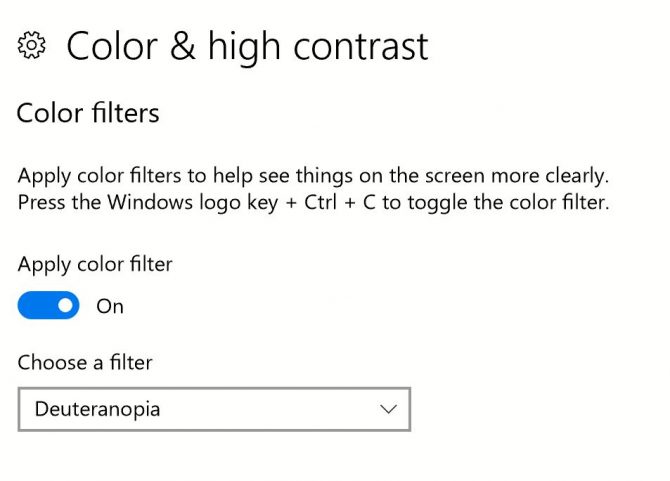
I also found applications for those who are visually impaired to “listen to their screens” using applications such as Digital Jukebox, Speaking Spelling, and Talking TRoolbox.
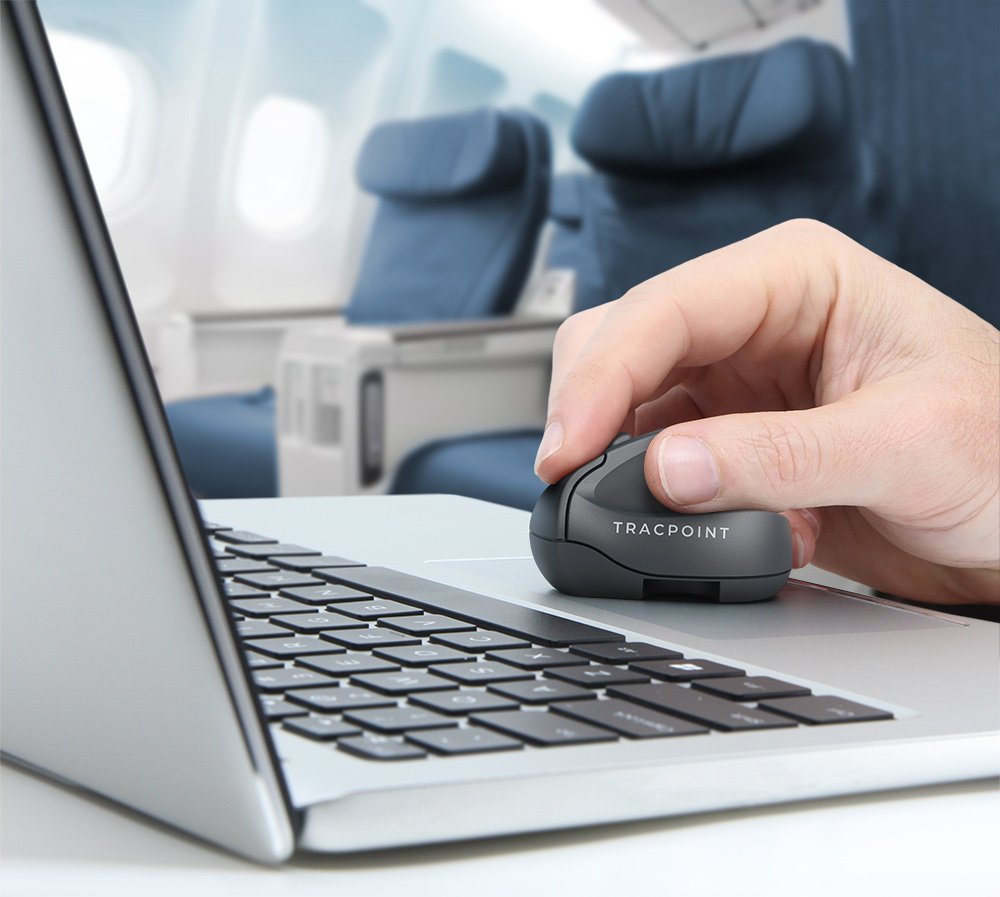
This is the Tracpoint mouse made by Swiftpoint. It is marketed as the “Ultimate travel mouse”, as it is small and intended to be used in collaboration with a laptop. It “weighs in at 25% of the weight of a conventional mouse – and is smaller than a golf ball.” This mouse is meant to be an alternative to the track pad and does not boast superiority in function/ergonomics to a conventional full-sized mouse.
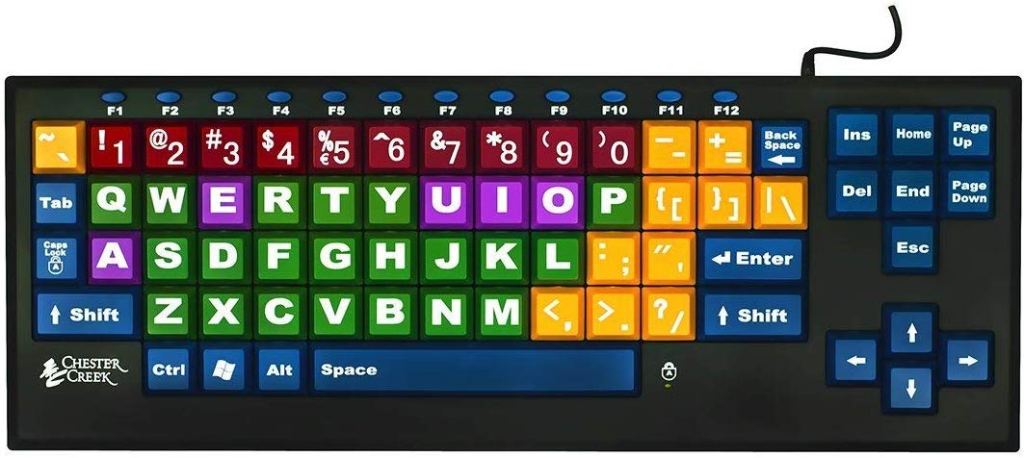
The KinderBoard is a large print keyboard that is colour-coded for those with vision impairment, developing motor skills, or for those that are new to keyboards or letters.
We have seen many innovative changes to User Interface (UI) in the past decade with systems such as the touchscreen iPhone, Virtual Reality (VR) commercial headsets, Augmented Reality (AR) advancements, etc.
Michael Poh from the Hongkiat, a site based on all things tech, writes in his 2018 blog what next-generation UI may look like. Poh writes about the high possibility that we will see Gesturing in future UI. He notes that “in gesture recognition, the input comes in the form of hand or any other bodily motion to perform computing tasks, which to date are still input via device, touch screen or voice. The addition of the z-axis to our existing two-dimensional UI will undoubtedly improve the human-computer interaction experience. ” He also provides a link to this TedTalk which shows a prototype of what gesturing will look like whilst also talking about the future of UI:
Danielle Reid claims that “the user interface is becoming the world around us” in her toptal blog. She describes Google’s advanced Technologies and Projects development of Project Soli which uses a miniature radar for motion tracking the human hand. This is also a gestural interaction.
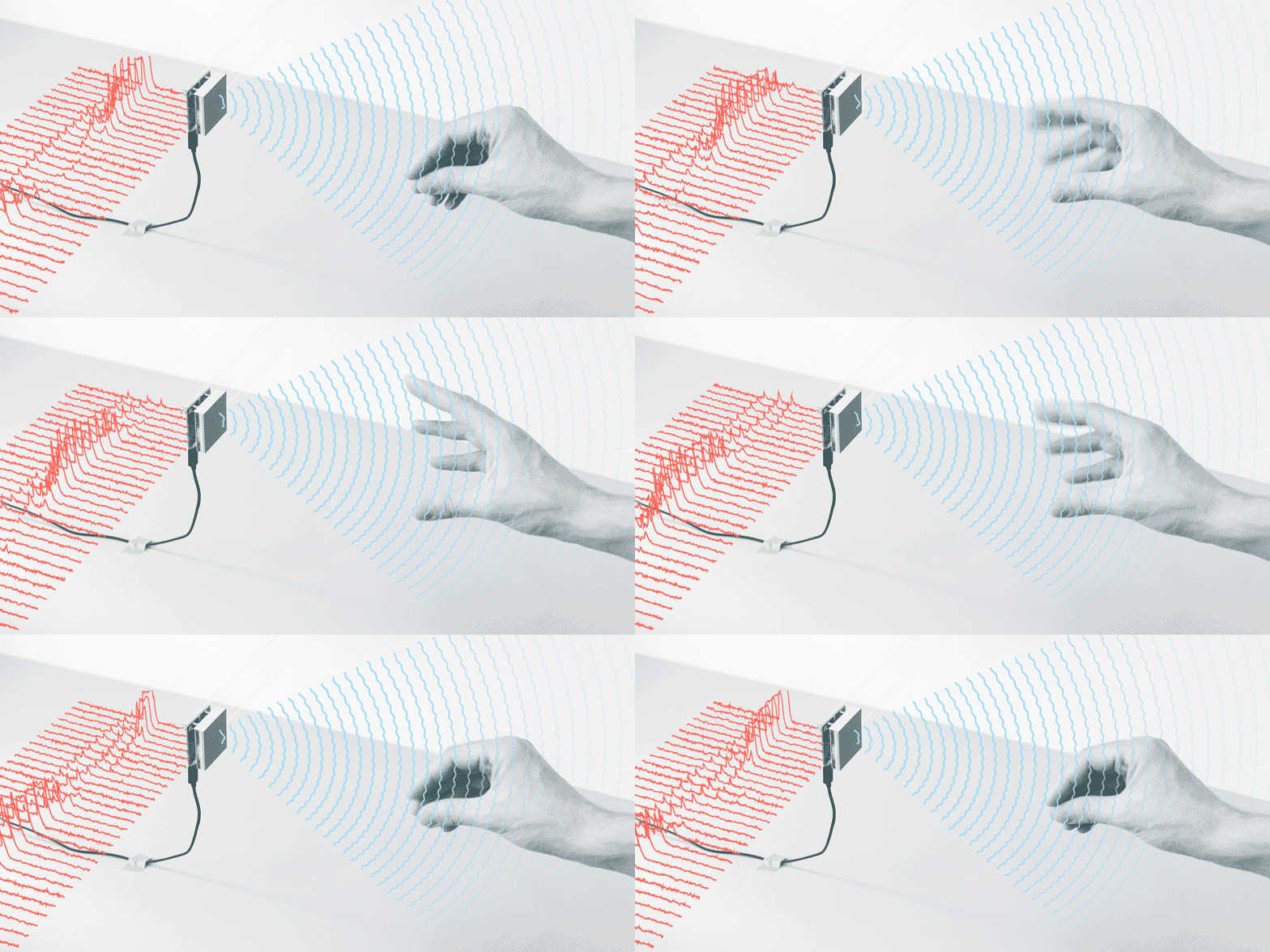
She claims that “screen-based UIs are slowly disappearing” and that in this “‘new world’ it will be more about designing experiences, not UIs”.
Luke Murphy is a student in Computing and IT, he defines Human Computer Interaction (HCI) as ” he design and study of how people (Users) interact with technology interfaces” in his 2018 blog. He considers 5 principles that are important for designing effective HCI.
- Requirement Engineering
- Interaction Design
- Personas
- Disruptive Innovation
- Visual Aesthetics
The Interaction Design Foundation believes that there are “widely applicable laws, guidelines, biases and design considerations which designers apply with discretion” in their article. They believe the cognitive load of a user must be considered when improving the usability, appeal, and decision-making time effectiveness of a site. Text should be easy to read, navigation should be simple, distractions are minimized, and don’t offer too many options.
Photo by Markus Spiske temporausch.com on Pexels.com 
Photo by Designecologist on Pexels.com
There are a lot of intuitive things you can do when designing HCI. For example, I did not stick the navigation bar links randomly on the page. They are easily accessible at the top. I also used large text for headings and titles and smaller text for bulkier bodies of text. I minimized my use of colour as to not distract from the text and only use supplementary photos to fill up blank space, help with understanding and/or pique interest.
 Justina computer science